I stopped editing videos of myself. Not by hiring anyone, and not with AI. I built what I’ve been calling a movie printer.
Videos I posted to X where I demo this aren’t edited. Multiple cameras, cuts throughout, a horizontal version and a vertical version. All of it came out of OBS exactly as recorded.
Here’s the problem I was solving. There are AI tools advertised for this. People on social media looking for editors. Others showing off their skills. Everything in between. I’m a pretty good video editor, and that’s sort of the issue. I spent the past year learning how to do it properly and then realized I didn’t want to. Recording separately on different cameras, organizing the files, building a multicam, starting from scratch every single time.
So I looked at OBS Studio instead.
What the printer does:
- No stitching. Four or five cameras and nothing to line up in an editor afterward.
- Horizontal and vertical record at the same time, each with its own look.
- Alternates so it doesn’t feel like a loop. A different camera swapped in, or a cut to a closeup, so the rhythm keeps shifting.
- Cuts faster when I’m talking and slows down when I’m quiet.
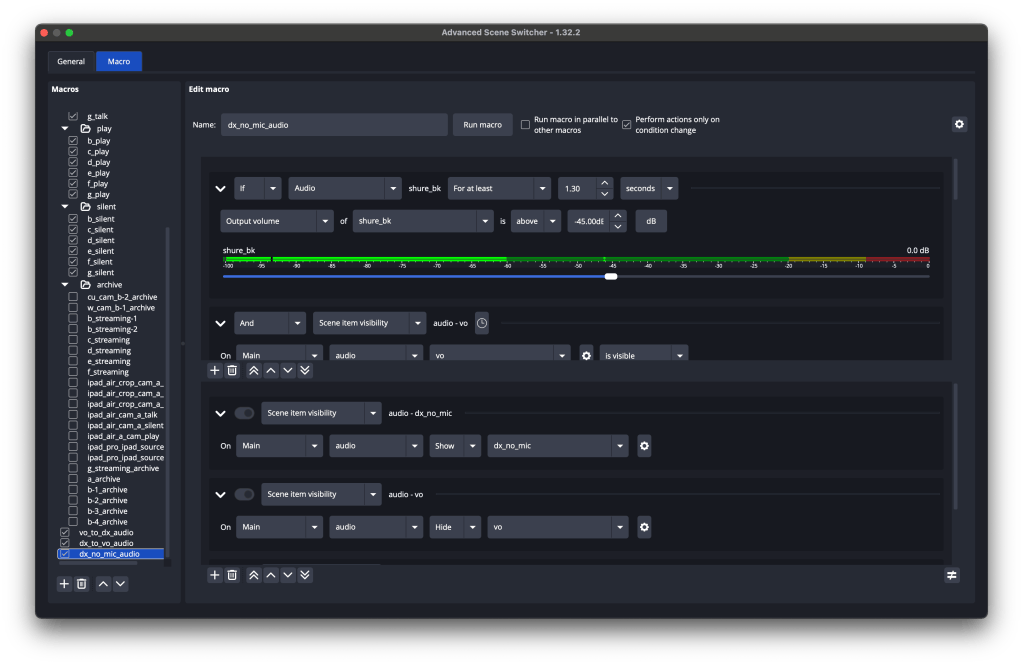
Three plugins make this work, all free. Advanced Scene Switcher handles the camera switching. AITUM Vertical records the vertical. Source Copy is how I move sources from the horizontal to the vertical, or keep things positioned the same way between scenes.
I also use VDO.ninja, which isn’t a plugin. It’s how I connect the other cameras. It gives you a link, you paste that link into a Browser source in OBS, and OBS sees whatever that camera sees. There’s a little latency, so I keep those cameras wider or at an odd angle where it’s harder to notice.
Five cameras sounds like a lot. It’s old phones between my partner and me, a tablet, and a cheap webcam.
My rules of thumb for setting them up:
- Camera A is the subject of the video. This is what sits in the top box of the vertical. Usually my computer display, but if I’m working at a whiteboard I point a fifth camera at it with a telephoto.
- Camera B is the webcam, connected directly to the computer. That matters, because anything running through VDO.ninja carries latency.
- Camera C is the establishing shot.
- Camera D is the odd angle. Usually the iPad Air, angled upward.
- Camera E is the continuity camera, the iPhone, because it’s the highest-quality camera we have. I delay it a few cuts rather than showing the best picture right away.
Those five cameras live in their own scenes, and then get composed into six more scenes that Advanced Scene Switcher cycles through. Two seconds on a scene, and if I’m talking, move to the next one. If the five are set up in a pleasing way to begin with, the six composed scenes usually look even better.
There are plenty of other bells and whistles, but that’s the gist.
If anybody shows an interest I’ll share more details, going deeper into the actual settings, or put the whole thing on Gumroad. Otherwise I’m just going to keep using it and skip the part where I organize camera files and rebuild a video from scratch.
Thanks for playing.


Share Your Thoughts